
Register the prior self-billing agreement
Guide for the supplier. It takes about 3 minutes and is done only once, in your own Portal das Finanças account.
Details you will need
The final form asks you for these two values only.
- NIF do Adquirente (the buyer’s tax number: the company)
- · the company - Data de início de Autorização (authorisation start date)
-
Why is it needed?
Under self-billing (autofaturação, art. 36.º do CIVA), the buyer company issues the invoice in your name. For the Portuguese Tax Authority (AT) to allow it, the supplier has to register the prior agreement (acordo prévio), authorising the buyer (adquirente). In the Portal’s own words:
Without this registration, AT refuses the invoices, and no invoice can be issued. You do not need to create sub-users or share any credentials with us.
Step by step
Sign in to the Portal das Finanças
Sign in with your company’s credentials (the supplier’s) and open the series area:
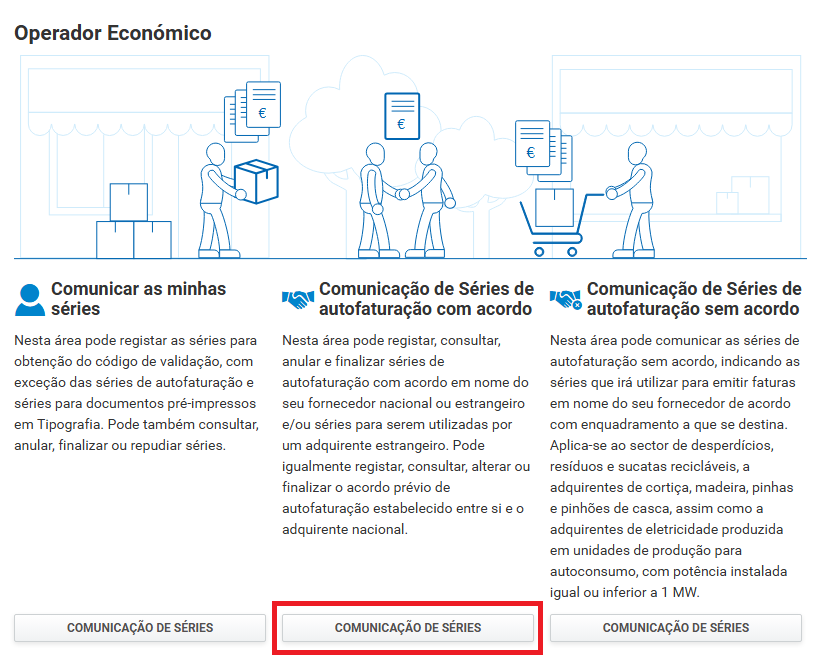
Choose “Comunicação de Séries de autofaturação com acordo” (reporting self-billing series with agreement)
The Operador Económico (economic operator) screen shows three cards. Click COMUNICAÇÃO DE SÉRIES (report series) on the middle card, the “com acordo” (with agreement) one.
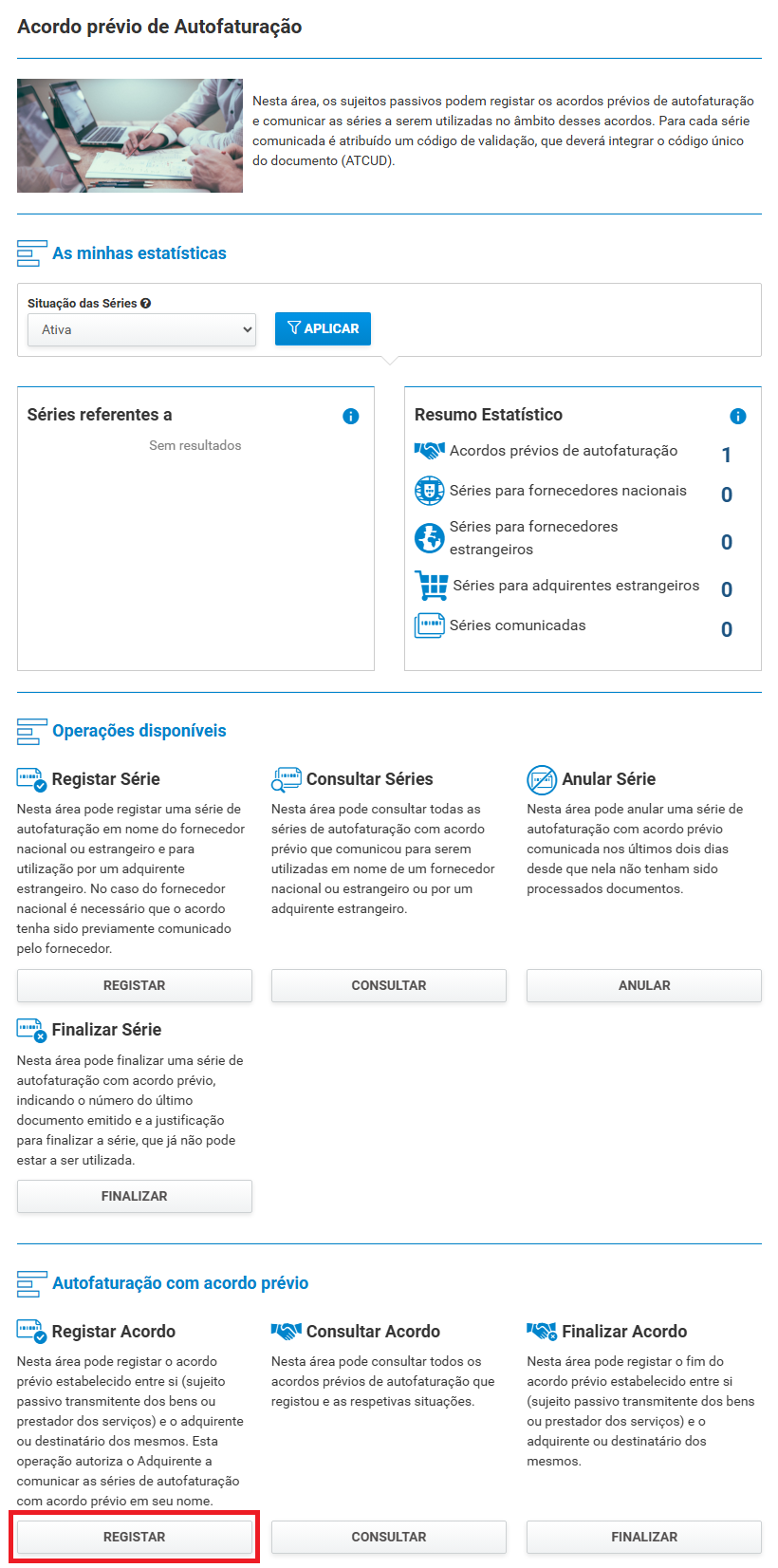
Under “Autofaturação com acordo prévio” (self-billing with prior agreement), click REGISTAR (register)
Scroll down to the Autofaturação com acordo prévio section (at the bottom of the page) and click the REGISTAR button under Registar Acordo (register agreement).
Fill in and confirm
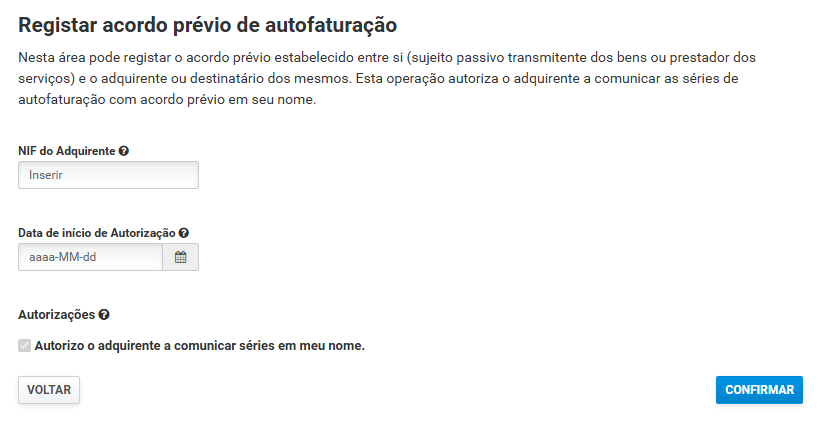
- NIF do Adquirente (buyer’s NIF) - the company’s NIF: (given in the invitation e-mail)
- Data de início de Autorização (authorisation start date) - in the format
aaaa-MM-dd(year-month-day), e.g. 2026-07-01 - Autorizações (authorisations) - the option “Autorizo o adquirente a comunicar séries em meu nome” (I authorise the buyer to report series in my name) is already ticked
Click CONFIRMAR (confirm).
Done
You can check it at any time under Autofaturação com acordo prévio → Consultar Acordo (view agreement).
Have you registered the agreement?
Click so that we can confirm it with AT. If the agreement is active, the series are registered at once and invoicing is unblocked. You do not need to tell anyone.
Frequently asked questions
Do I have to create a sub-user?
No. Sub-users (sub-utilizadores) are created only by the buyer. The supplier only has to register the agreement.
Do I have to share passwords with the company?
Never. You register the agreement yourself, in your own account, and no credentials are shared.
Can my accountant do this?
Yes, as long as they access the Portal das Finanças on behalf of your company. Forward this page to them.
Can I end the agreement later?
Yes, under Autofaturação com acordo prévio → Finalizar Acordo (end agreement). From that date we can no longer issue invoices in your name.